Construction Timelapse Costs: What Companies Should Really Budget For
When companies first look into construction timelapse costs, the first question is often: how much does the camera cost?
Part of the series · Long-Term Construction Timelapse GuideConstruction Timelapse for Long-Term Outdoor Projects: The Professional Guide (Months to Years)
Quick answer
Construction timelapse costs fall into three models. Hardware-only DIY is a one-off spend on camera, housing and power — cheapest up front but the most manual. A connected, self-managed setup adds cloud software on a monthly per-camera fee and is the best balance for most multi-month projects. A fully managed service costs the most but needs almost no effort from your team. The camera itself is usually the smallest line item — power, uploads, storage and final video production drive the real budget.
When companies first look into construction timelapse costs, the first question is often: how much does the camera cost?
That is understandable, but for long-term construction projects it is usually the wrong starting point. For a broader framework on how reliable long-term outdoor construction timelapse systems are planned and managed, see our guide to construction timelapse for long-term outdoor projects. A project that runs for several months or years is not defined by the camera alone. It is defined by whether the system keeps working through weather changes, shifting site conditions, power interruptions, connectivity issues and restricted access. For a more detailed look at the physical setup requirements behind that reliability, see our guide to outdoor timelapse camera deployments.
That is why construction timelapse price can vary so widely. If you are comparing fixed network cameras and action-camera-based systems, read our IP Camera vs GoPro for Construction Timelapse comparison. A hardware-only setup may look inexpensive because it includes little more than the camera itself. A connected setup costs more because it adds remote access, cloud workflow and ongoing oversight. A fully managed service costs the most because it removes most of the operational burden from the client.
For most buyers, the clearest way to understand timelapse cost construction project planning is to compare three practical models: the budget variant, the connected self-managed variant and the fully managed service variant.
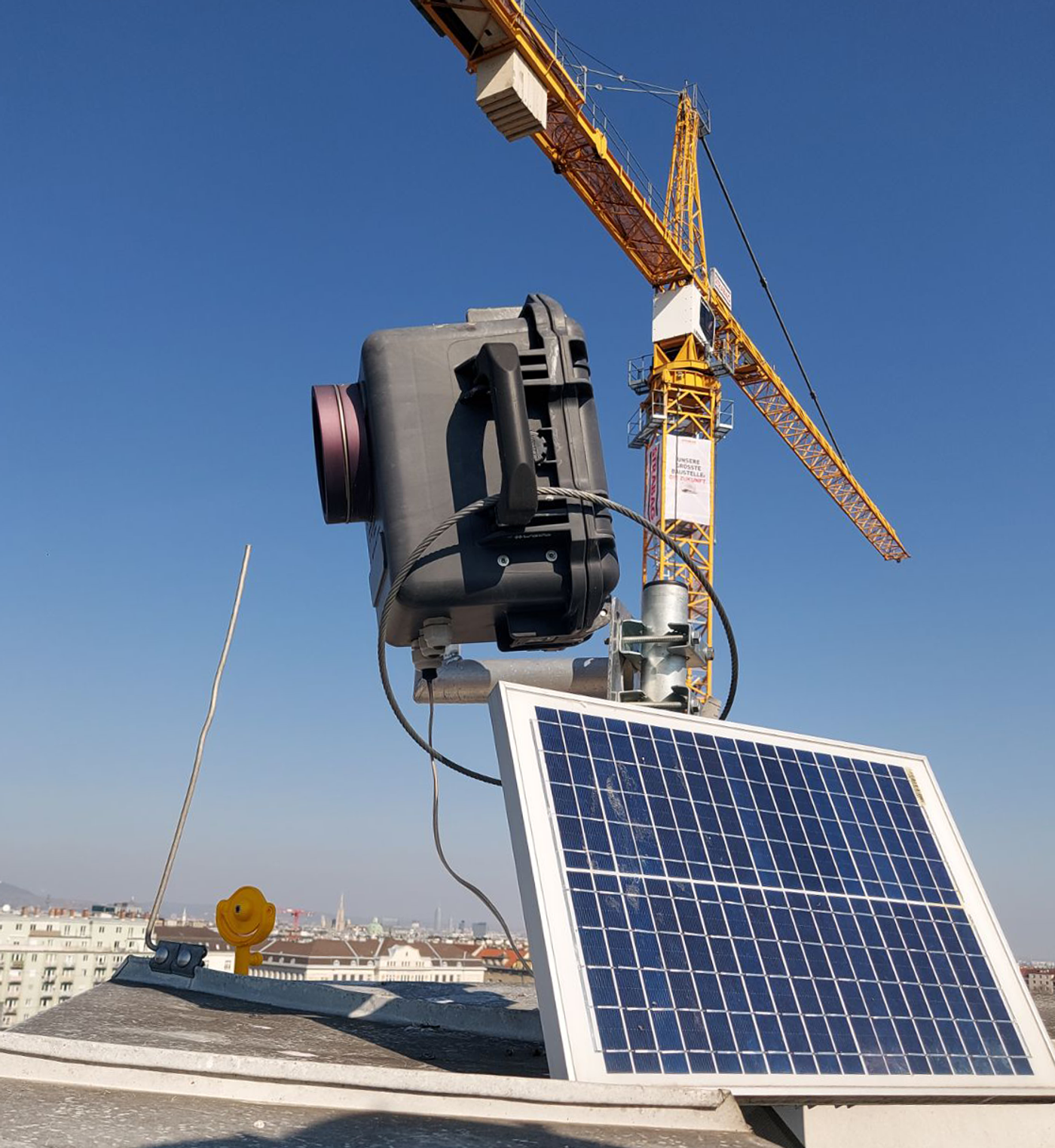
What are the three main construction timelapse budget models?#
The budget variant: hardware only#
The budget variant is the simplest entry point. In this model, a company buys a camera, mounts it on site, powers it somehow and lets it run with little or no remote visibility.
At first glance, this can look attractive because the upfront number is low. Public March 2026 pricing shows consumer action-camera bundles in roughly the €300 to €400 range, while complete entry-level outdoor long-term timelapse kits sit around €1,000, and more specialized remote-capable outdoor cameras around €1,500 to €1,600 before accessories, subscriptions, or tax. That makes a realistic hardware-only planning range of roughly €300 to €1,500 per viewpoint depending on whether the buyer starts with improvised consumer equipment or a purpose-built standalone system.
The problem is not that this model is impossible. The problem is that it is unreliable. For a detailed look at the specific failure modes behind that risk, read Construction Timelapse Problems: How to Avoid Failure in Long-Term Projects.
Without remote visibility, nobody really knows whether the system is still working unless someone physically goes to the site and checks it. A power interruption, full memory card, lens obstruction, condensation issue, shifted framing, or accidental unplugging may go unnoticed for days or weeks. For a deeper look at why stable power is one of the biggest reliability factors in long-term deployments, read our guide to timelapse camera power supply for long-term construction projects. By the time the problem is discovered, important project phases may already be missing.
That is why the budget variant often has the lowest visible construction timelapse costs, but the highest operational risk. It can work for low-stakes internal documentation, short deployments or projects where regular physical checks are easy. But for serious long-term construction work, it is often closer to a gamble than to a dependable documentation strategy.
Why hardware-only setups often become expensive later#
The hardware-only model looks cheap because many of the real costs are hidden.
The client still needs somebody to install the system safely, make sure power remains stable, check framing when the site changes, verify that images are still being captured, and recover the footage at the end. Even if those costs do not appear as software fees or service invoices, they still exist as labor, travel time, coordination effort, and risk.
The biggest hidden cost is missing critical footage. A system that silently fails during a concrete pour, tower crane installation, façade phase, or handover period can lose more value than the client saved by choosing the cheapest setup.
That is why a low hardware price does not necessarily mean a low total project cost. In long-term construction timelapse, the cheaper system is often the one that becomes more expensive once failure risk is included.
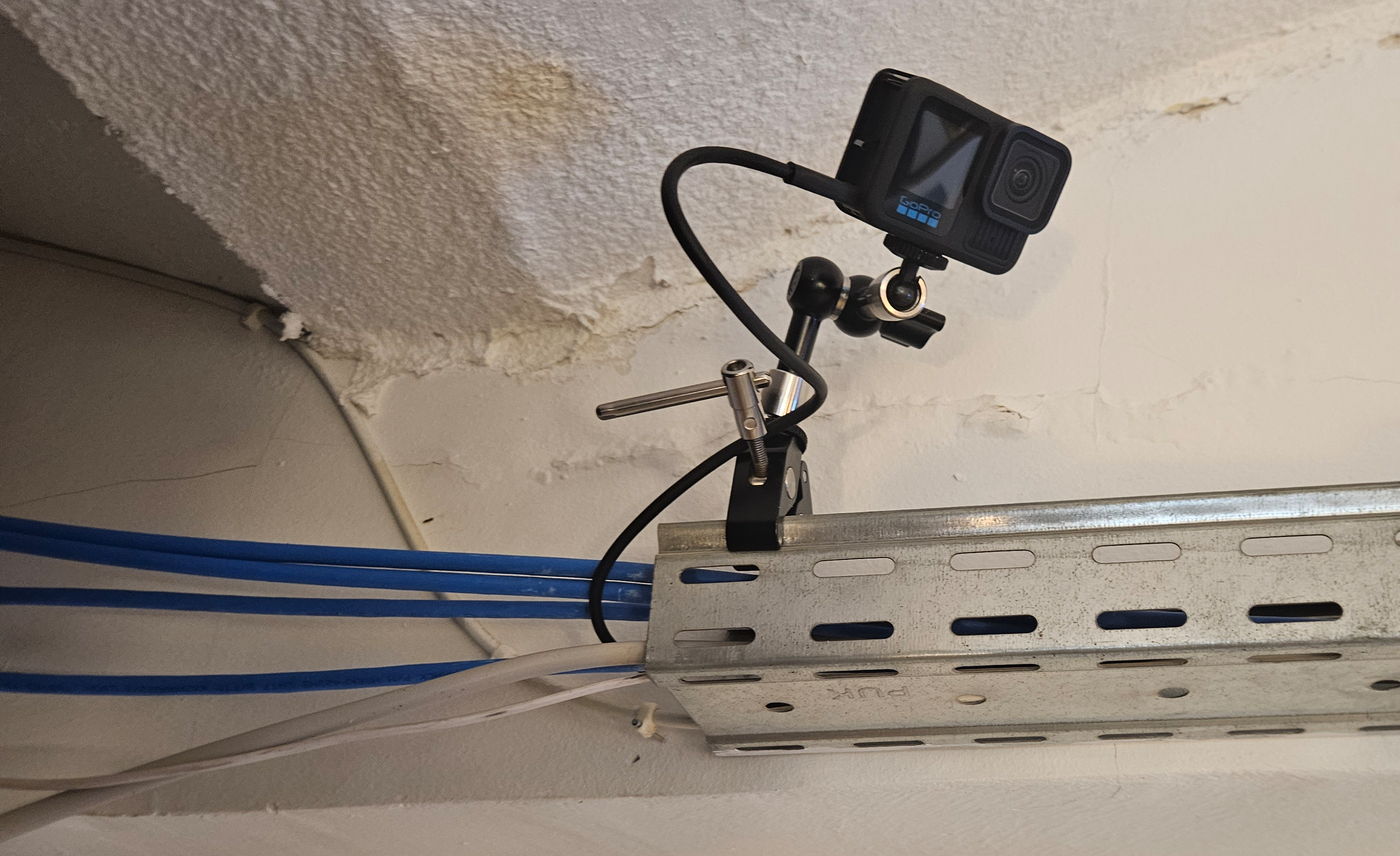
A GoPro camera without remote access
The better variant: connected and self-managed#
The second model is the connected self-managed setup. For many companies, this is the most sensible balance between cost, control and reliability.
In this model, the camera is connected to a remote workflow. Images are uploaded automatically through Wi-Fi, site internet, or a cellular connection. The project team can check recent images online, confirm that the camera is still alive and spot interruptions without having to drive to the site.
This model adds recurring costs, but it also changes the project from guesswork into something manageable.
Cloud software for timelapse cameras ranges from free to roughly $240 per camera per month depending on the provider (prices checked September 2026): TimelapseRobot's plans are free, €29 or €49 per camera per month, CamDo's CloudX runs $69 to $159 and Enlaps' myTikee $69 to $239 – and for the latter two the subscription is mandatory, otherwise the camera does not upload. Light IoT cellular plans can start very low, but in practical project budgeting it is more realistic to allow a small monthly amount for data and remote access on top of software. A sensible planning figure for a connected self-managed setup is therefore often around €30 to €130 per camera per month in recurring software and connectivity costs, with more if the project needs heavier sharing, analysis, frequent uploads, or higher storage allowances. For reference, TimelapseRobot's own cloud plans start free per camera; the paid plans at €29 and €49 per camera per month add the sharing page, storage and automation.
Upfront hardware for a connected long-term setup is usually higher than the hardware-only model, because the project may need a connectivity-ready camera, modem or bridge device, antenna, and weatherproof deployment components. A practical expectation for the initial connected setup is roughly €1,000 to €2,500 per viewpoint, depending on whether the system is a basic connected kit or a more autonomous outdoor camera with built-in remote features.
Why this variant is usually the real minimum for serious projects#
Remote access is not just a convenience feature. It is the difference between hoping the project is being documented and knowing whether it is being documented.
A connected setup allows the team to review recent images, confirm that framing still makes sense and react when image delivery drops. That can save entire projects. It also reduces the need for site visits that exist only to confirm whether the camera is still working. For a deeper look at why that visibility matters operationally, read our guide to remote timelapse monitoring for long-term construction projects; for the software side, see the TLR-Cloud page.
This is why many long-term projects are not really viable without connectivity. Once a project matters commercially, visually or contractually, the ability to check it from afar becomes essential.
The connected self-managed model does not remove all the work. The client still has to handle or coordinate installation, review the project occasionally, respond to alerts and produce the final output. But it dramatically improves the likelihood of a successful outcome without forcing the company into a full-service contract.
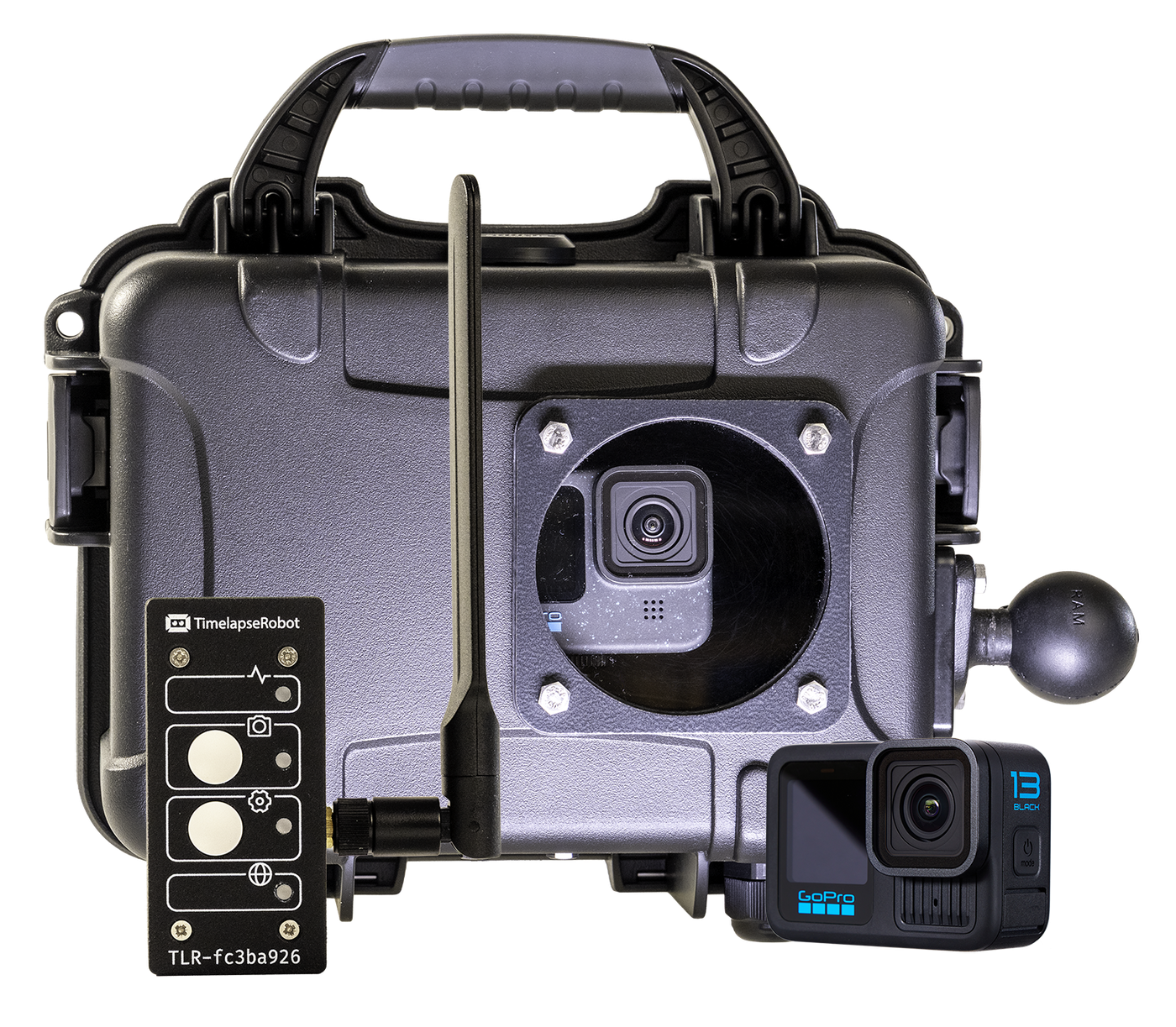
Without remote monitoring, long-term construction timelapse is a gamble.
TimelapseRobot combines a weatherproof GoPro setup with remote connectivity and cloud storage allowing you to monitor your project from anywhere.
• Remote health monitoring
• Automatic cloud upload
• Weatherproof GoPro housing
Explore the Construction Timelapse System
What the connected variant usually costs over a project lifecycle#
For a relatively simple single-viewpoint project, a connected self-managed setup often lands in the low thousands to mid-thousands of euros over the project lifecycle once hardware, software, connectivity, and internal management effort are considered.
For example, a company might spend roughly €1,000 to €2,500 upfront on hardware and deployment components, then €30 to €130 per month on the connected workflow. Over a 12-month project, that can place the technical budget roughly in the €1,500 to €4,000+ range before installation labor, troubleshooting time or final editing are added. Larger sites, higher upload frequency, more storage, or more viewpoints push that upward.
That makes this model clearly more expensive than hardware only. If you want to see how this approach works with an action-camera-based setup, read our GoPro construction timelapse long-term setup guide. But it is also the point where construction timelapse becomes operationally credible.
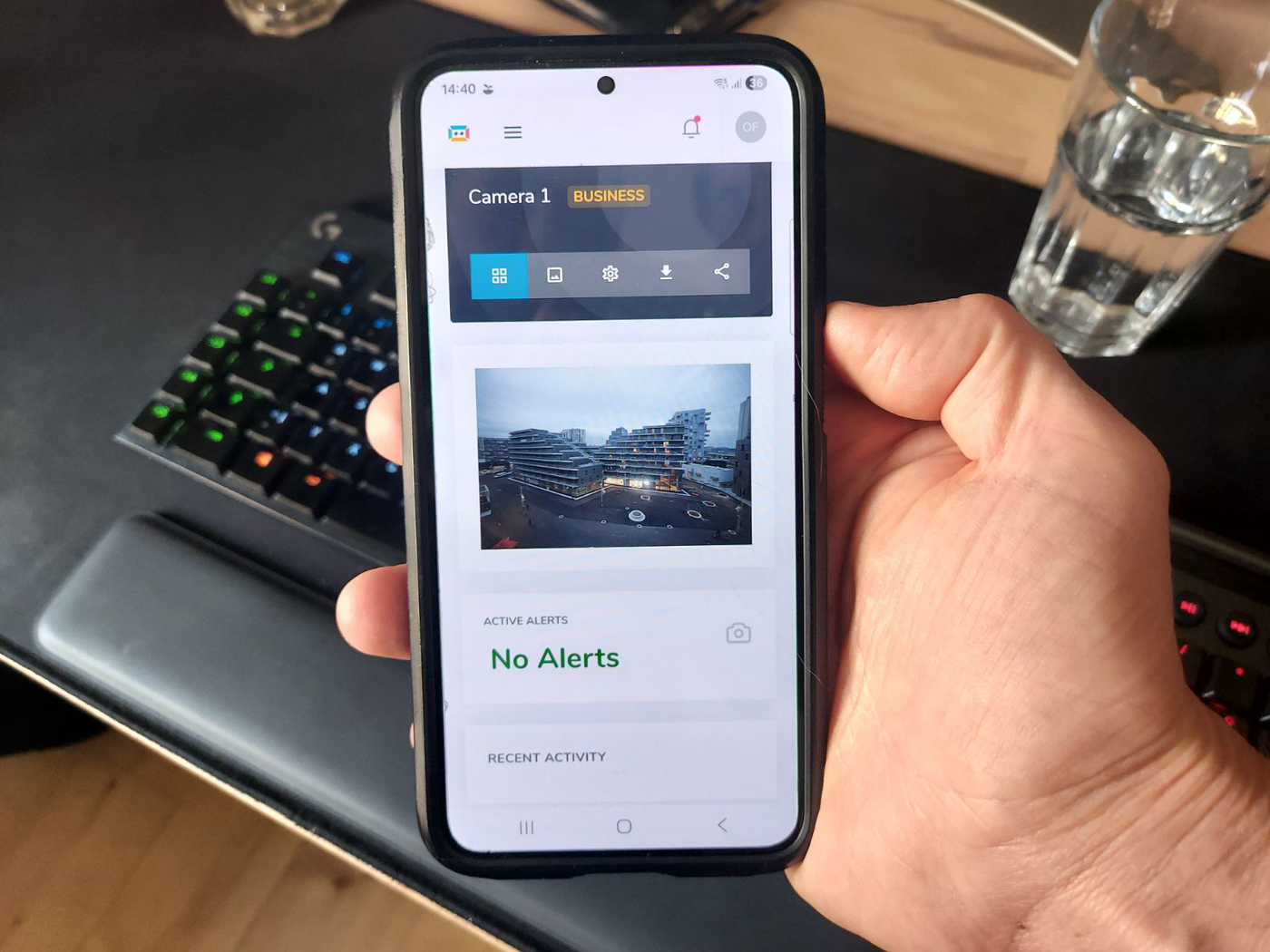
Remote checking a construction site is essential
The premium variant: fully managed service#
The third model is to hire a specialist company to handle the whole process. This is usually the highest construction timelapse service cost, but also the lowest client workload.
In the fully managed model, the provider typically handles most or all of the setup, connectivity, cloud workflow, routine checks, visual quality control, troubleshooting, archive handling and final rendering. For the client, the main benefit is not just a camera on site. It is that someone else owns the ongoing responsibility.
Public pricing reviewed in March 2026 shows managed construction camera services starting around €200 per month with hardware, 4G connectivity, cloud storage and platform access included. Add-ons such as higher photo frequency, publishing tools, private cloud features, face blurring or photo-processing tools often add €25 to €75 per month each. Older industry guidance for construction camera services places the broader monthly range at roughly €200 to €900 per month, depending on image frequency, resolution and service level.
That means a realistic expectation for a managed single-viewpoint project is often a few hundred euros per month, rising with extra features, more frequent capture, higher-resolution optics, or stricter service expectations. Over a one-year project, that often puts the operational budget somewhere around €2,400 to €7,000+ per viewpoint, with premium or complex service levels above that.
What the client is really paying for#
This is the point many buyers misunderstand.
They think they are paying more for a camera. In reality, they are paying for installation planning, reduced risk, defined ownership, better recoverability when problems happen and a cleaner route to finished deliverables.
That matters because long-term timelapse projects do not fail only because of bad hardware. They fail because nobody notices a problem early enough, nobody is clearly responsible for fixing it, or nobody has time to manage the project consistently over many months.
A full-service model solves that by shifting the workload away from the client team. For developers, contractors and agencies that want the result but not the operational hassle, that can be the most efficient choice despite the higher price.
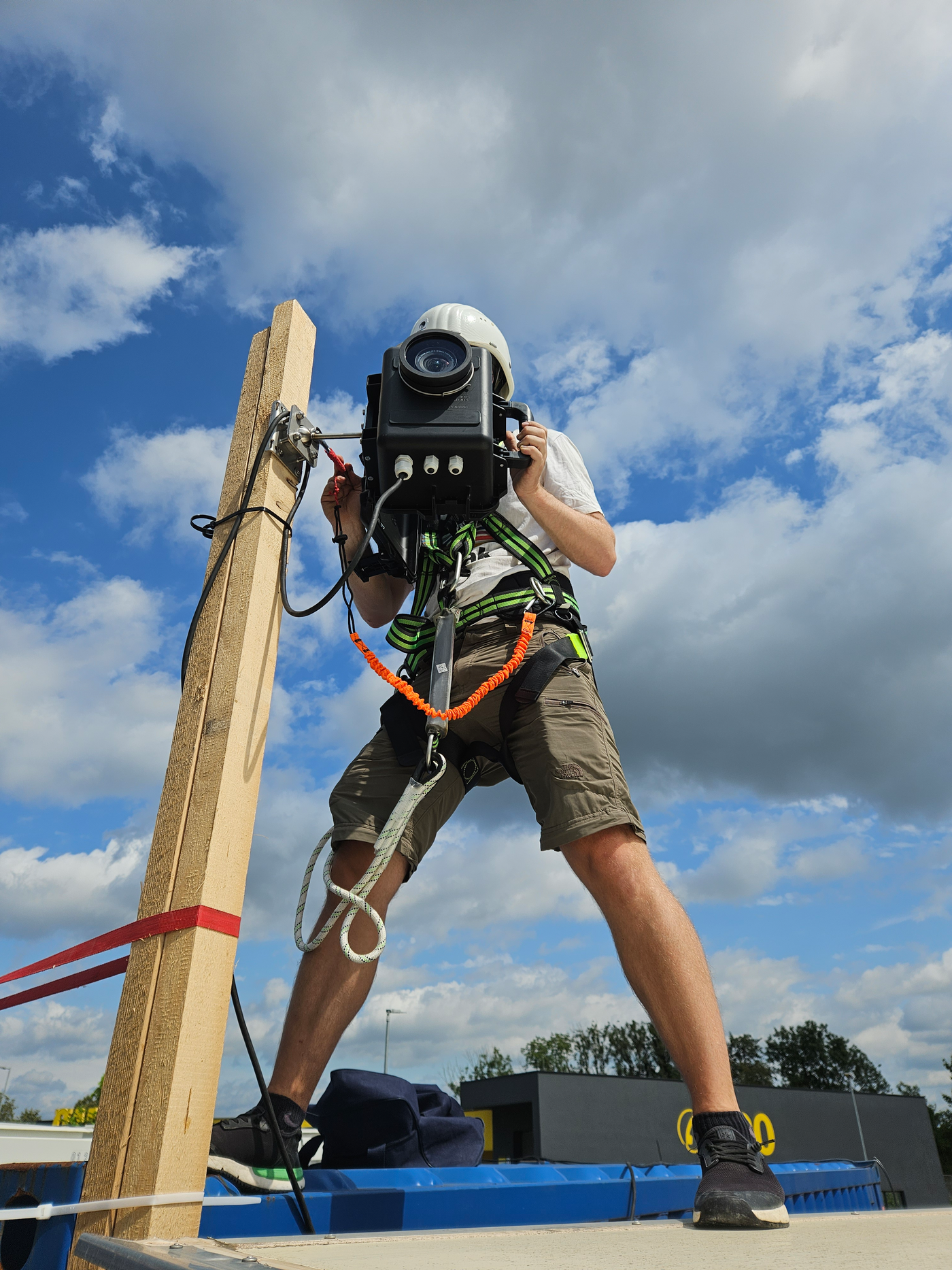
Which construction timelapse model fits which type of project?#
Not every construction project needs the same timelapse approach. The right model depends on how important the visual record is, how much internal time the client can realistically invest, and how much risk is acceptable if something stops working.
A hardware-only setup can be acceptable for smaller internal documentation projects where occasional gaps are not critical and regular site checks are easy. It is the lowest-cost option, but it only makes sense when the company is comfortable accepting a higher chance of failure.
A connected self-managed setup is often the best fit for serious long-term projects where the client wants cost control but also needs confidence that the system is still working. If you prefer a fixed network camera workflow, see our guide on how to turn an IP camera into a construction timelapse system. If you are still choosing the camera itself, our guide to best IP camera construction monitoring will help you narrow the right hardware before building the rest of the workflow around it. This approach is especially suitable for construction companies, developers, and media teams that are willing to manage the project internally but do not want to rely on physical site visits just to confirm that image capture is continuing.
A fully managed service is usually the best choice for high-visibility projects, complex sites, or teams that do not want the operational burden of installation planning, checks, troubleshooting, and final video production. In these cases, the higher price is often justified by the reduced internal workload and the lower risk of missing critical construction phases.
In practice, the decision is less about choosing a camera and more about choosing how much responsibility the client wants to carry over the life of the project. If you are still evaluating which hardware category fits your project best, read our guide to the best camera for construction timelapse.
What costs do buyers forget? Final video production and storage#
Many buyers focus heavily on capture and forget the output.
A basic processed timelapse can often be ordered as a relatively small add-on, while a more polished presentation video costs more. Public pricing reviewed in March 2026 shows one market example of €300 for short-term access to processed photo products and about €1,000 for a presentation-grade edited video, with additional editing billed hourly.
Cloud storage itself is usually not the main cost driver. To understand what that workflow includes in practice, see our guide to the complete construction timelapse workflow from camera capture to final video. What adds cost is the workflow around it: remote access, image organization, monitoring, alerts, sharing and rendering. For a practical breakdown of what that workflow actually includes on the FTP and cloud side, read our guide to camera FTP upload for long-term projects. In long-term construction timelapse, companies are usually paying less for storage itself and more for the system that makes the images usable and manageable over time.
What should companies realistically budget for construction timelapse?#
The most realistic way to budget is to decide first how much risk and workload the company wants to carry.
If the company chooses the budget variant, it may spend only a few hundred to around €1,500 on hardware, but it should accept that the project may fail without anyone noticing in time.
If the company chooses the connected self-managed variant, it should expect around €1,000 to €2,500 upfront per viewpoint, plus roughly €30 to €130 per month for software and connectivity, with higher totals for more storage, more uploads, or more advanced workflow needs.
If the company chooses the fully managed service variant, it should expect roughly €200 to several hundred euros per month per viewpoint, with premium service levels and extras pushing that higher. Final video production may then sit on top of that as an additional deliverable.
That is the real budgeting logic behind construction timelapse costs.
The cheapest option is not necessarily the lowest-cost project. It is often just the option with the most hidden risk. A connected setup adds monthly cost, but gives the project a far better chance of success. A fully managed service costs the most, but removes most of the hassle and responsibility from the client side.
For long-term construction projects, that is usually the right question: not just what the camera costs, but what it costs to make the project actually work.
Frequently asked questions
- How much does a construction timelapse camera cost?
- Public March 2026 pricing puts consumer action-camera bundles at roughly €300 to €400, complete entry-level outdoor timelapse kits around €1,000, and more specialized remote-capable outdoor cameras around €1,500 to €1,600 before accessories, subscriptions or tax. A realistic hardware-only planning range is therefore about €300 to €1,500 per viewpoint — but the camera is usually the smallest line item in the overall project budget.
- How much does construction timelapse software cost per month?
- Cloud software for timelapse cameras ranges from free to roughly $240 per camera per month depending on the provider (September 2026): TimelapseRobot free, €29 or €49; CamDo CloudX $69 to $159; Enlaps myTikee $69 to $239. Adding a small monthly amount for cellular data and remote access, a sensible planning figure for a connected self-managed setup is around €30 to €130 per camera per month, with more for heavier sharing, frequent uploads or higher storage allowances.
- How much does a fully managed construction camera service cost?
- Managed services start around €200 per month with hardware, 4G connectivity, cloud storage and platform access included. Add-ons such as higher photo frequency, publishing tools, private cloud features or face blurring often add €25 to €75 per month each, and broader industry guidance places the monthly range at roughly €200 to €900. Over a one-year project that often means €2,400 to €7,000 or more per viewpoint.
- What does a connected self-managed timelapse setup cost over a 12-month project?
- Expect roughly €1,000 to €2,500 upfront per viewpoint for a connectivity-ready camera, modem or bridge device, antenna and weatherproof deployment components, plus €30 to €130 per month for software and connectivity. Over twelve months that places the technical budget roughly in the €1,500 to €4,000-plus range before installation labor, troubleshooting or final editing. Larger sites, more uploads or extra viewpoints push it higher.
- Why do cheap hardware-only setups often become more expensive later?
- Because many real costs are hidden: someone still has to install the system safely, keep power stable, check framing as the site changes, verify that images are being captured and recover the footage at the end — labor, travel and coordination that never appear as software fees. The biggest hidden cost is missing critical footage: a silent failure during a concrete pour or facade phase can lose more value than the cheap setup saved.
- How much does the final timelapse video cost on top of capture?
- Final video production is a frequently forgotten budget item. One market example from March 2026 lists €300 for short-term access to processed photo products and about €1,000 for a presentation-grade edited video, with additional editing billed hourly. A basic processed timelapse can often be ordered as a relatively small add-on, while a polished presentation film costs correspondingly more.
Planning a long-term construction timelapse?
Discover the system built for multi-month and multi-year construction deployments.
Explore the Construction Timelapse System

