Best IP Camera Construction Monitoring: What Actually Matters for Long-Term Timelapse Projects
Best ip camera construction monitoring explained: how to choose a reliable IP camera for long-term construction timelapse, FTP upload, and remote oversight.
Part of the series · Long-Term Construction Timelapse GuideConstruction Timelapse for Long-Term Outdoor Projects: The Professional Guide (Months to Years)
Quick answer
The best IP camera for construction monitoring captures scheduled snapshots and uploads them by FTP to the cloud — rather than relying on its built-in timelapse mode. Prioritise reliable snapshot intervals, FTP upload, weather resistance and stable power and networking over headline resolution. For long-term projects, storing each image in the cloud and rendering the video later is far more dependable than rendering on the camera, where a single failure can lose the whole sequence.
IP cameras are becoming an increasingly practical choice for long-term construction monitoring and timelapse. They are budget-friendly, widely available, easy to deploy in fixed positions, and well suited to workflows where teams need regular visual updates over months or years. That makes them attractive for construction companies, construction monitoring service providers, system integrators, and facility managers who need dependable documentation without building every project around a more complex camera setup.
At the same time, choosing the best ip camera construction monitoring solution is not really about finding the camera with the most impressive specification sheet. Long-term projects require much more than a device that can capture a good image on day one. They require a workflow that can keep producing, uploading, organizing, and monitoring images through weather, dust, changing site conditions, unstable power, shifting connectivity, and project durations that often extend beyond the original schedule.
That is why the camera should always be seen as one part of a larger system. For the broader operational side of this topic, see Remote Timelapse Monitoring for Long-Term Construction Projects and Construction Timelapse for Long-Term Outdoor Projects: The Professional Guide.
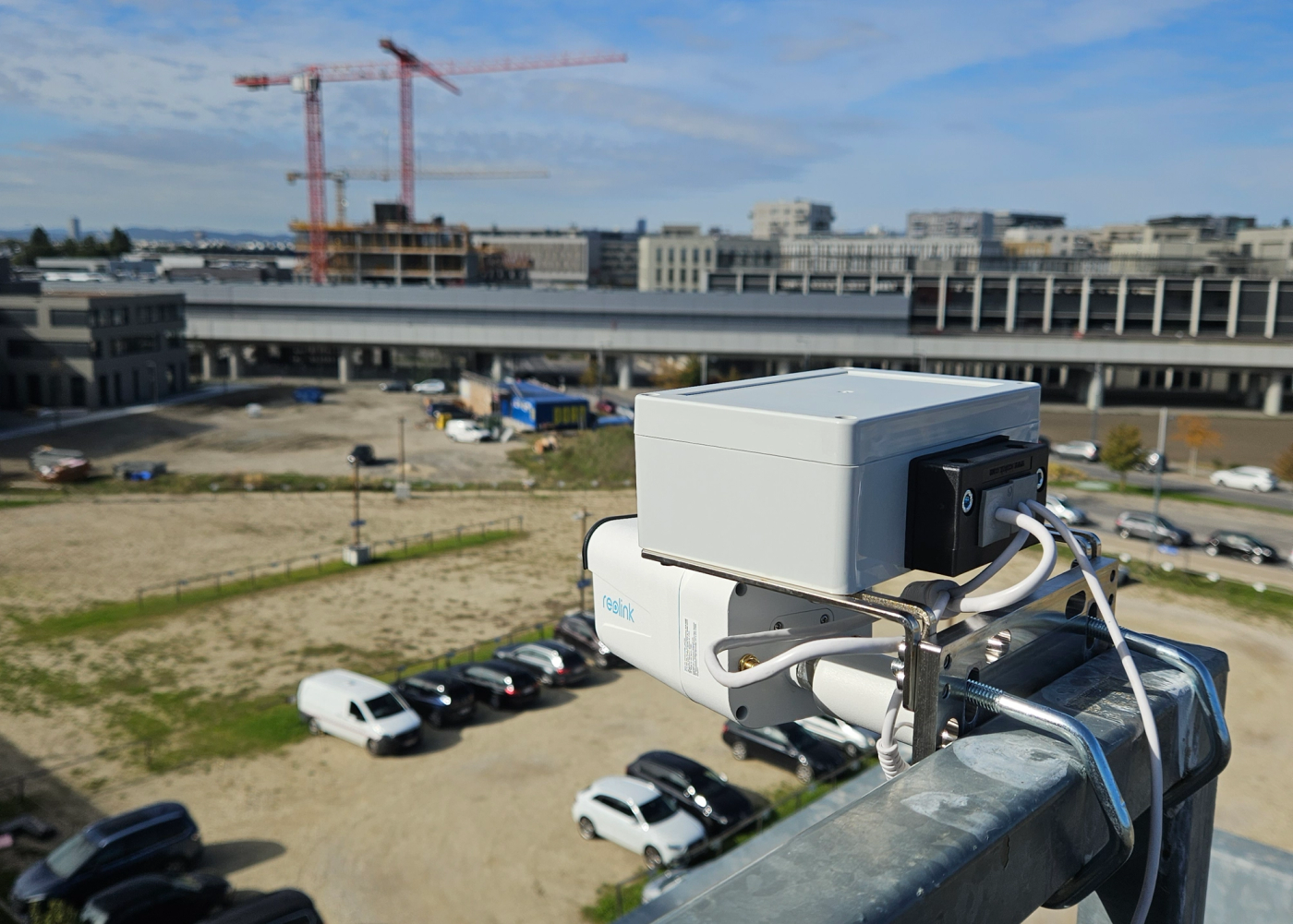
What makes the best IP camera setup for long-term construction monitoring?
Snapshot interval capability
A suitable construction monitoring camera needs to support repeatable image capture on a defined schedule. In construction timelapse, the goal is usually not motion-triggered security footage. The goal is a consistent visual record captured at intervals such as every 5, 10, or 15 minutes during working hours or throughout the full day, depending on the project.
That interval-based logic is what turns ordinary monitoring into usable long-term documentation. A camera that can capture reliably over time is far more valuable than one with features that look good in marketing material but do little to support the real workflow.
FTP image upload support
FTP upload is one of the most important practical features in an ip camera timelapse workflow. It allows the camera to send captured images directly to a remote server instead of keeping the entire process trapped on the device. That matters because long-term construction projects should not depend entirely on manual file retrieval or on local camera storage.
The faster source images leave the device environment and enter a central system, the more resilient the documentation becomes. This is also why FTP remains highly relevant in professional construction workflows. It creates a simple, dependable handoff between image capture on site and storage or processing elsewhere.
For more on this workflow approach, see How to Turn an IP Camera into a Construction Timelapse System.
Weather resistance
Construction sites are hard on equipment. Cameras may be exposed to rain, wind, heat, cold, dust, vibration, and limited maintenance access for long periods. That is why housing quality and environmental rating matter.
Weatherproofing should be treated as a baseline requirement, not as a complete solution. Lens cleanliness, mounting angle, exposure to direct sun, and physical protection remain part of the installation strategy. For a broader view of this side of the topic, see Outdoor Timelapse Camera: How to Build a Reliable Long-Term Setup for Harsh Outdoor Conditions.
Stable power and networking
A camera is only as reliable as the power and connectivity behind it. Many long-term failures on construction sites are not caused by the imaging hardware itself, but by weak temporary power, unstable local internet, poor Wi-Fi conditions, or infrastructure changes as the site evolves.
That is why camera choice should never be separated from power design and connectivity planning. A strong long-term setup depends on more than the device. For more on this, see Timelapse Camera Power Supply for Long-Term Construction Projects.
Image quality vs operational reliability
This is where many buying decisions go wrong. IP cameras are usually not the strongest option when the sole priority is premium visual image quality. In many cases, action cameras or higher-end photo cameras can produce more visually refined results.
But IP cameras have a different advantage. They are usually much more budget-friendly and highly practical for fixed-position, long-term monitoring. That makes them attractive when the priority is reliable project visibility rather than cinematic output. For related comparisons, see Best Camera for Construction Timelapse and IP Camera vs GoPro Timelapse for Construction.
Why is built-in timelapse mode the wrong choice for long-term projects?
Many IP cameras now include a built-in timelapse mode and at first glance that sounds ideal. In practice, it is usually the wrong choice for serious long-term construction projects.
Built-in timelapse mode is generally designed around creating a finished timelapse file on the camera side. That may be acceptable for short-term creative use. It is much less suitable for long-term construction monitoring.
How built-in timelapse mode works
In a built-in timelapse workflow, the camera captures internally and later stores the result as a rendered sequence or compressed video, depending on the settings. This sounds convenient, but it puts too much responsibility on the device itself.
Why local video rendering is risky
If the workflow depends on local rendering or local time-lapse file management, the project becomes more vulnerable to storage problems, incomplete outputs, overwrite issues and late discovery of errors. Construction projects often run for many months and a failure discovered too late can mean losing documentation that cannot be recreated.
Lack of flexibility if the project duration changes
Construction timelines rarely stay fixed. Projects are delayed, extended, phased differently, or completed in sections. A built-in timelapse mode is often too rigid for that reality. It is optimized around producing a clip, not around maintaining a flexible archive of source images that can be re-rendered later.
What happens if rendering fails
If rendering fails in a local-only workflow, the team may be left with uncertainty about whether usable source material still exists and whether a missing period can be recovered. For long-term construction documentation, that is a major weakness.
Why losing individual source images is a major problem
The source images are the real asset. They allow teams to re-render the final sequence, create milestone videos, extract stills for reporting, verify continuity and preserve the record even if editing decisions change later. A finished timelapse video is only one output. If the workflow is built around the video instead of the image archive, it becomes far less resilient.
For a broader look at failure patterns, see Construction Timelapse Problems: How to Avoid Failure in Long-Term Projects.
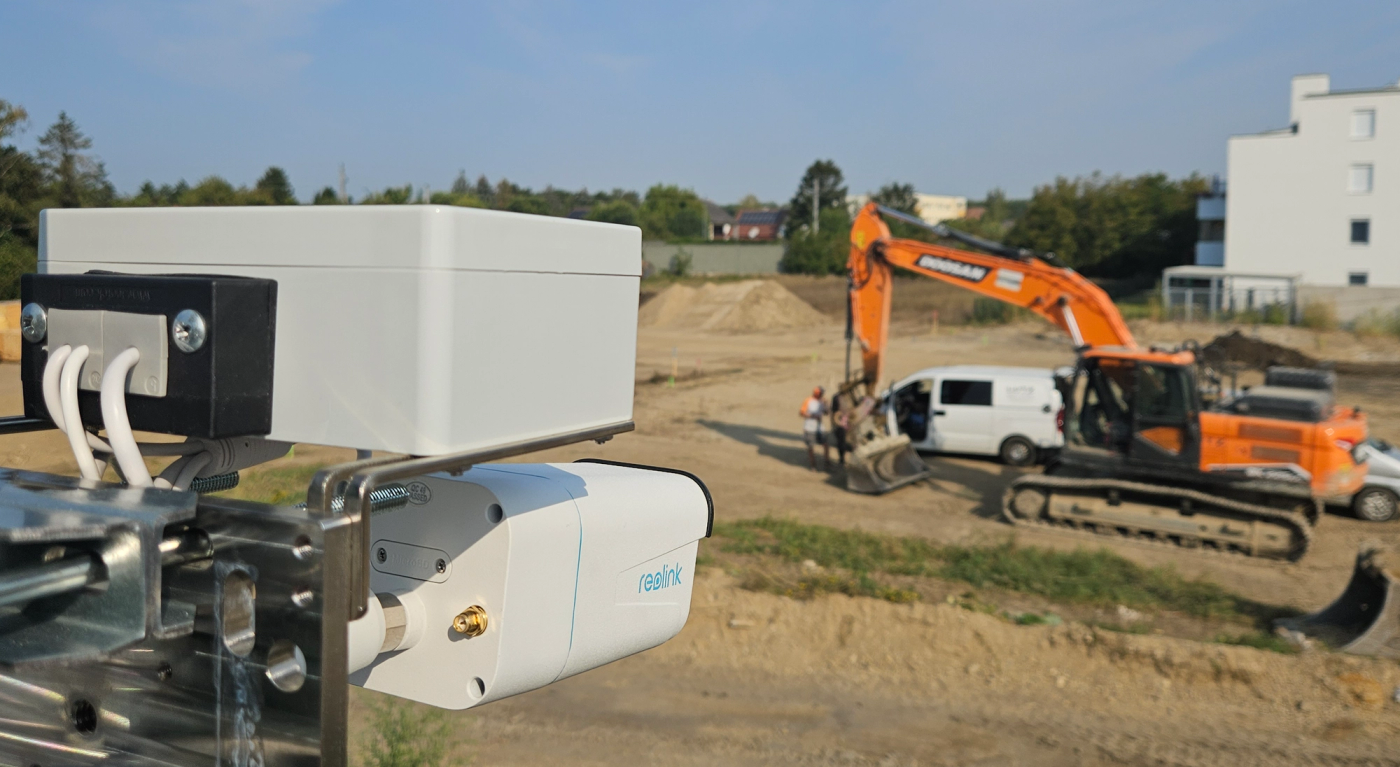
Why do FTP-based image workflows matter?
A stronger approach is to use scheduled snapshots and transfer the original images off the camera continuously.
How scheduled snapshots are captured
In this workflow, the camera captures images on a defined timer rather than trying to produce a finished timelapse file inside the device. That keeps the capture process simpler and more predictable over long periods.
How FTP upload works
Once the image is captured, the camera uploads it to a remote FTP destination. This creates a clean separation between image capture on site and file storage or workflow logic elsewhere.
Why timestamps in filenames are critical
For long-term construction documentation, timestamps in filenames or otherwise reliable timing data are essential. They allow the cloud side to reconstruct image order, identify missing intervals, organize files by day or project, and detect reporting gaps quickly.
Why cloud-based image storage and later rendering are more reliable
This is the main advantage of an ftp camera upload workflow. The camera’s job is to capture and upload. The server or cloud workflow’s job is to organize, monitor, and later render the images into a final sequence. That separation is much more reliable than relying on a local timelapse mode because it reduces dependence on the camera as the single point of failure.
For more on this workflow structure, see How to Turn an IP Camera into a Construction Timelapse System.
Common limitations of IP cameras in long-term construction projects
IP cameras are practical, but they also have limitations that should be acknowledged.
One common issue is monitoring gaps. A camera can stop uploading because of a short power interruption, a network issue, or a configuration problem and teams may not notice immediately if there is no software layer watching the image flow.
Another issue is file naming inconsistency or weak structure in simple camera-only workflows, which makes long-term organization harder. Connectivity can also become more complicated on larger or evolving sites, especially when the camera depends on local Wi-Fi conditions that were not designed for unattended visual documentation.
A further limitation is visibility. A camera may still be powered on and physically installed while the actual image workflow has failed. That is why remote oversight matters so much. For more on the monitoring layer, see Remote Timelapse Monitoring for Long-Term Construction Projects.
Example IP camera models for construction monitoring and timelapse
Two useful examples in this category are the Reolink RLC-810WA and Reolink RLC-811WA.
One reason they are relevant is usability. Reolink cameras are generally easy to set up and straightforward to use, which is a real advantage compared with IP camera ecosystems that require more technical effort to configure and manage. For many construction teams and service providers, that usability matters. It reduces deployment friction and makes the system more accessible even when no deep technical knowledge is available on site.
The Reolink RLC-810WA is a strong fit when the framing is already known and the camera can remain in a fixed overview position. The Reolink RLC-811WA is better suited to projects where one mounting position needs to cover different subject distances or where framing may need refinement after installation.
| Model | Best fit | Main strengths | Best suited project type |
|---|---|---|---|
| Reolink RLC-810WA | Fixed-position overview camera | Easy setup, stable fixed framing, budget-friendly deployment | Projects where framing is known in advance and the goal is consistent long-term site visibility |
| Reolink RLC-811WA | Flexible framing from one installation point | Easy setup, optical zoom, more framing flexibility | Projects where subject distance varies or final framing may need adjustment after installation |
Neither of these models changes the bigger principle: the camera is only one part of the system. Teams comparing monitoring-oriented IP workflows with more image-driven options should also see GoPro Construction Timelapse: Long-Term Setup Guide and IP Camera vs GoPro Timelapse for Construction.
Image quality vs workflow reliability
The best image quality does not automatically produce the best long-term solution. In real construction deployments, reliable upload, clean file organization, remote oversight and failure detection usually matter more than whether the image looks slightly better in ideal conditions.
That is why IP cameras remain attractive even though they are often not the visually strongest category. They are usually far more budget-friendly than high-end visual workflows and they are well suited to fixed-position documentation where operational reliability matters more than cinematic polish. For cost context, see Construction Timelapse Costs: What Companies Should Really Budget For.
Integrating IP cameras into a professional timelapse workflow
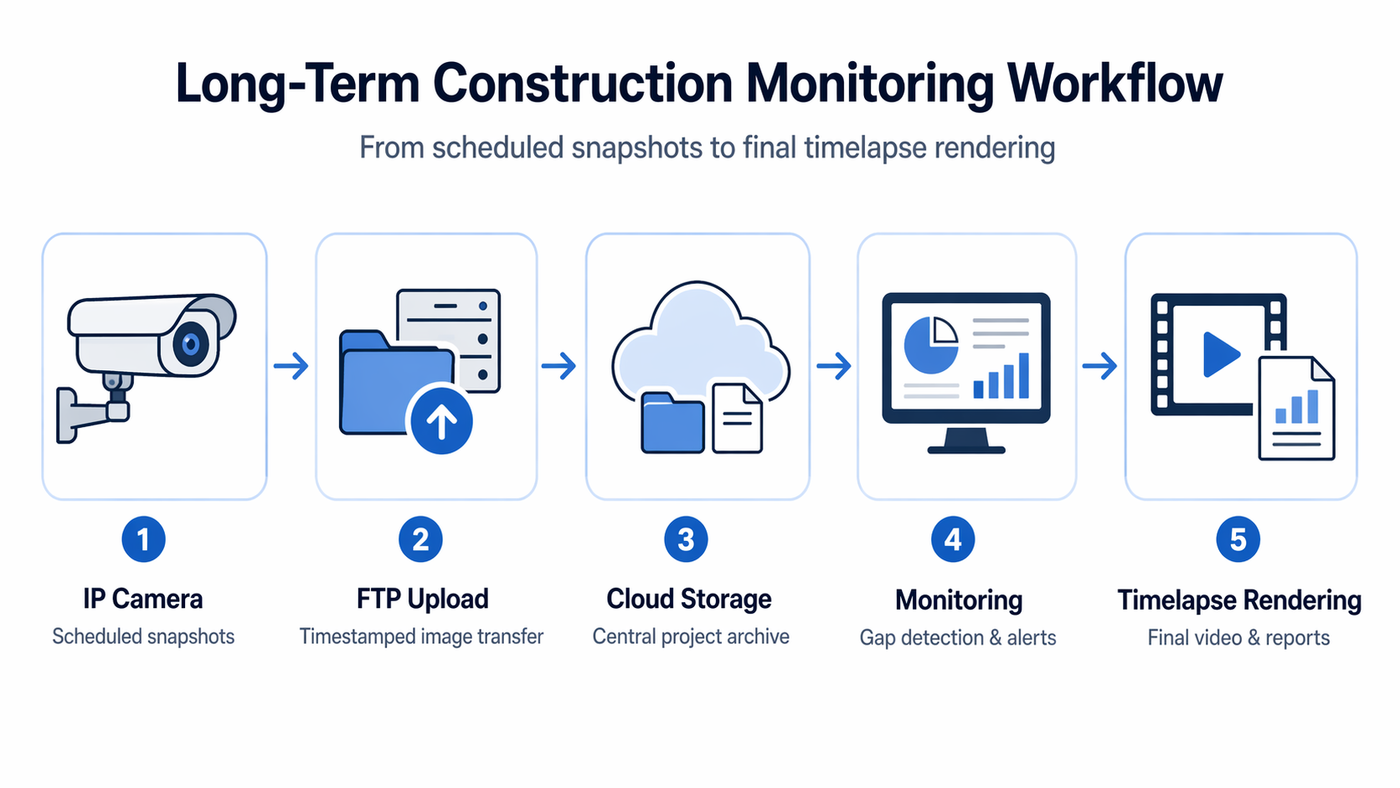
A professional long-term workflow usually follows a simple structure: scheduled snapshot capture, FTP upload, timestamp parsing, cloud ingestion, project organization, and monitoring for reliability.
This is the point where a basic ip camera construction site setup becomes a professional workflow. The camera handles image capture. The platform (such as TimelapseRobot) handles structure, visibility and continuity. For more on the remote operating model, see Remote Timelapse Monitoring for Long-Term Construction Projects.
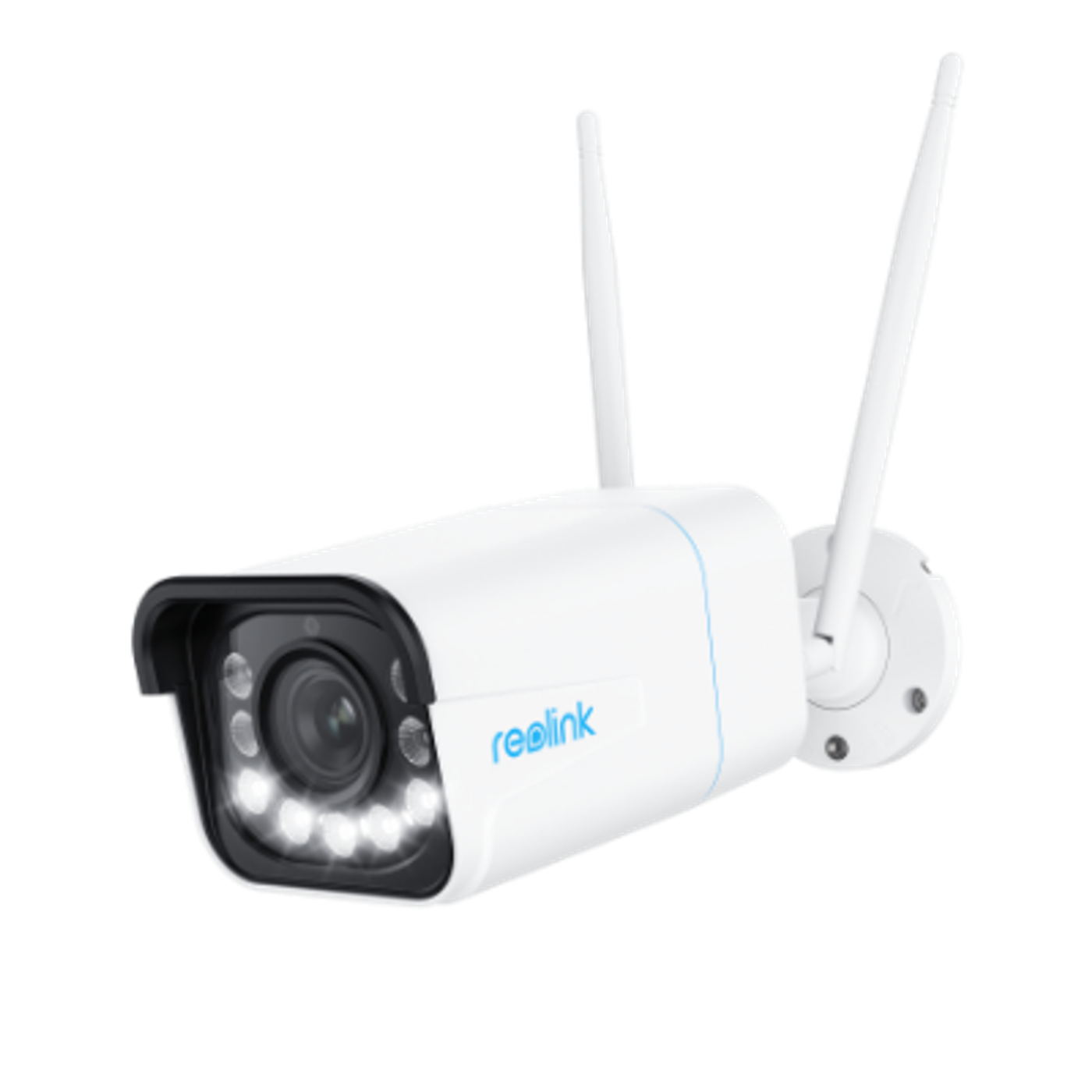
Turn your IP camera into a construction timelapse system
Start with a free TimelapseRobot account and follow the step-by-step guide to connect a Reolink RLC-811WA in minutes.
What matters more than the camera in long-term deployments
For long-term construction monitoring, several things matter more than the camera body alone: power strategy, connectivity, cloud storage, monitoring, and failure detection.
A weak power design can stop a good camera. A weak network can turn a usable capture workflow into an unreliable archive. A lack of monitoring can allow silent gaps to continue for days. That is why the most durable solution is always the one that combines hardware choice with operational discipline.
Summary
The best ip camera construction monitoring choice depends on the needs of the project, not on headline specifications alone. IP cameras are often not the top option for pure image quality, but they offer major practical advantages: they are usually budget-friendly, easy to deploy, and well suited to fixed-position long-term documentation.
Reolink models such as the RLC-810WA and RLC-811WA are useful examples because they combine approachable setup, practical everyday usability, FTP-capable workflows, and outdoor-ready hardware. For many construction teams, that ease of use is a meaningful advantage over camera ecosystems that require more technical effort to configure and maintain.
The bigger lesson, however, is that the camera is only one part of a complete long-term monitoring and timelapse system. For a broader explanation of how camera capture, upload, storage, monitoring, and rendering work together, see our guide to the construction monitoring camera timelapse workflow. The more important decision is whether the full workflow can capture, upload, organize, monitor, and protect source images reliably over the life of the project. That is what turns an IP camera from a simple device into a dependable long-term construction documentation tool.
Frequently asked questions
- What snapshot interval should an IP camera use for construction timelapse?
- Typical construction timelapse projects capture a still image every 5, 10 or 15 minutes, either during working hours or throughout the full day, depending on the project. The goal is not motion-triggered security footage but a consistent visual record captured on a defined schedule, because that interval-based logic is what turns ordinary monitoring into usable long-term documentation.
- Which IP camera models work well for construction monitoring and timelapse?
- The Reolink RLC-810WA and RLC-811WA are two useful examples. The RLC-810WA suits fixed overview positions where the framing is known in advance, while the RLC-811WA adds optical zoom for projects where framing may need adjustment after installation. Both are easy to set up, budget-friendly, FTP-capable and built for outdoor use — a real advantage when no deep technical knowledge is available on site.
- Is a higher resolution the most important feature when choosing a construction camera?
- No. Headline resolution matters less than reliable snapshot intervals, FTP upload support, weather resistance and stable power and networking. IP cameras are usually not the strongest option for pure image quality — action cameras or photo cameras can look more refined — but they win on budget, easy fixed-position deployment and operational reliability, which usually matter more over the life of a long project.
- Why do timestamps in image filenames matter for long-term projects?
- Timestamps let the cloud side reconstruct the correct image order, identify missing intervals, organize files by day or project, and detect gaps in the documentation quickly. Without reliable timing data, long-term organization becomes much harder and interruptions can go unnoticed. That is why timestamped filenames, or otherwise dependable timing information, are essential in an FTP-based construction timelapse workflow.
- Can an IP camera stop uploading without anyone noticing?
- Yes, and it is one of the most common issues. A short power interruption, a network problem or a configuration error can stop uploads while the camera still looks powered on and physically installed. Without a software layer watching the image flow, such silent gaps can continue for days — which is why remote monitoring of upload activity matters as much as the camera itself.
- Is site Wi-Fi reliable enough for a construction IP camera?
- Often not over the long run. Connectivity gets more complicated on larger or evolving sites, especially when the camera depends on local Wi-Fi conditions that were never designed for unattended visual documentation. Many long-term failures are caused by weak temporary power, unstable internet or infrastructure changes rather than the camera itself, so power and connectivity should be planned together with the camera choice.
Connect your own camera
Turn your FTP/IP camera into a timelapse system — start for free.
Step-by-step setup guides: Reolink RLC-510WA · Bixion

