How to Turn an IP Camera into a Construction Timelapse System
How to turn an existing IP or CCTV camera into a construction timelapse system: snapshot intervals, FTP upload, file naming and reliable long-term monitoring.
Part of the series · Long-Term Construction Timelapse GuideConstruction Timelapse for Long-Term Outdoor Projects: The Professional Guide (Months to Years)
Quick answer
You can turn a standard IP camera into a construction timelapse system if it supports scheduled snapshot capture and FTP upload. The camera creates interval JPEGs and pushes them to a remote server, where a cloud platform such as TimelapseRobot organizes them by timestamp, project and camera and monitors that capture keeps running reliably.
Construction sites already generate large amounts of visual information. Many projects use fixed cameras for perimeter security, access monitoring, progress verification and incident review. For companies that want to document a project over months or years, those existing camera capabilities can also support a reliable ip camera construction timelapse workflow, provided the system is built around structured image collection, correct timestamp handling, remote visibility, and ongoing monitoring.
This matters because long-term construction timelapse is not simply about creating a video at the end. It is about building a dependable image record throughout the entire lifecycle of the project. That record needs to remain accessible from afar, organized in a usable format and continuously checked so problems can be detected before major milestones are missed.
If you are still comparing GoPro-based, IP camera-based, and DSLR or mirrorless options, read our guide to the best camera for construction timelapse.
Many fixed network cameras already support interval-based snapshot capture and FTP upload. On paper, that makes them look like a simple fit for timelapse. In practice, the real value comes from how those images are collected, stored, structured, monitored and reviewed over time. Without that layer, a large archive of images can quickly become difficult to manage, impossible to verify, and risky to rely on.
The sections below explain how standard IP cameras can be used for security camera timelapse workflows on construction projects, why file naming and timestamps are operationally important and how a cloud-based ip camera timelapse system helps turn raw snapshots into a structured, manageable long-term dataset.
For the broader framework behind reliable long-term outdoor capture, see our guide to construction timelapse for long-term outdoor projects.
Want to try this with a real camera?
Start with a free TimelapseRobot account and follow the Reolink setup guide.
1\. Why many construction projects already use IP cameras
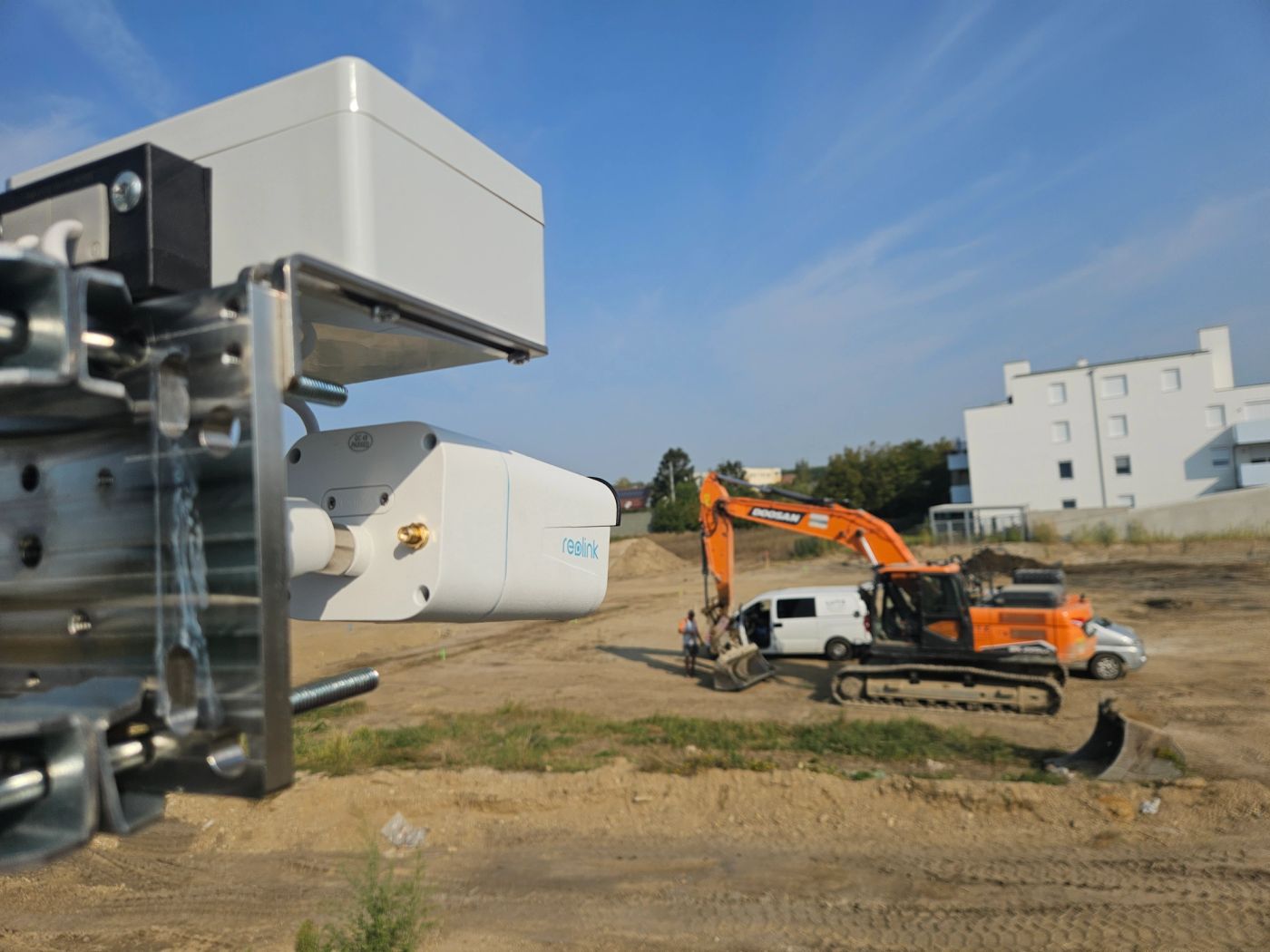
Many construction projects already have network-connected cameras on site. In some cases they are installed primarily for security and access oversight. In other cases they support remote progress observation, stakeholder visibility, or general site awareness. This makes the construction monitoring camera category broader than traditional CCTV use alone.
For construction companies and system integrators, this existing footprint creates an important opportunity. Instead of treating security and documentation as completely separate systems, a standard IP camera can often contribute to both. If the camera supports scheduled image capture and FTP upload, it may be capable of feeding a long-term documentation workflow without requiring a dedicated consumer timelapse device.
That does not mean every IP camera is automatically suitable. The relevant question is not whether the camera can produce images, but whether it can support an operational process over many months. Construction documentation places different demands on a system than short-form surveillance retention. You need consistent cadence, recoverable files, reliable timestamps, remote accessibility and a way to confirm that capture is still happening as intended.
This is why standard IP cameras are often attractive for professional deployment. If you are deciding whether an IP camera or a GoPro-based setup is the better fit for your project, read our practical long-term comparison of both approaches. They are familiar to integrators, designed for fixed installation, available in a wide range of lenses and housings, and commonly offer network functions that are useful in real site environments. For projects where a camera is already justified for monitoring or security, extending it into a security camera timelapse workflow can be operationally efficient.
2\. How snapshot interval capture works on IP cameras
Many IP cameras support a scheduled snapshot feature. Instead of recording continuous video only, the camera can generate a still image at a defined interval such as every minute, every five minutes, or every fifteen minutes. These interval images are usually JPEG files created directly by the camera firmware.
This is the foundation of an ip camera construction timelapse workflow. For the bigger picture beyond IP camera configuration, read our guide to the complete construction monitoring camera timelapse workflow.
Rather than relying on a device that stores a proprietary timelapse internally, the camera produces individual image files over time. Those files can then be transferred to external storage, structured into a dataset and used later for progress review, image selection, reporting, and final timelapse rendering.
The key operational advantage of interval snapshots is that they create a discrete record of the project at regular points in time. Each image can be checked, sorted, reviewed, filtered, or reprocessed independently. That is especially useful on long projects, where the visual dataset may support not only the final video but also internal progress validation, stakeholder updates, marketing selections, milestone reporting, and dispute documentation.
Snapshot intervals should be chosen based on the purpose of the record, not on the assumption that more files are always better. A very short interval increases storage volume, transfer load and dataset size without necessarily improving the practical value of the archive. A longer interval may be sufficient for structural progress, while milestone-heavy phases may justify denser capture. The important point is that the output remains systematic and predictable.
Many cameras also include a built-in “timelapse” mode. For long-term construction documentation, that feature is usually not the right operational choice. Native timelapse functions often create a local video file or a simplified internal sequence intended for standalone use. That approach may work for short demonstrations, but it is not suitable for professional long-term deployments where files must remain remotely accessible, where image-level inspection matters, where regular health checks are needed, and where blocked views or failed capture need to be detected early.
A long-term construction workflow benefits far more from separate snapshots than from a closed internal timelapse file. If you are still deciding which fixed network camera features matter most before building the workflow, see our guide to best IP camera construction monitoring for long-term timelapse projects. Individual images allow remote verification, quality control, selective recovery, structured storage and external processing. They also support live sharing and near-real-time project visibility, which standard in-camera timelapse modes typically do not provide.
3\. Using FTP upload to collect images remotely
The practical bridge between camera capture and usable dataset creation is file transfer. Many IP cameras support FTP or FTPS upload as part of their event or schedule settings. When configured correctly, the camera creates an image and uploads it to a remote server at each scheduled interval. For a deeper look at what should happen after that upload step, including timestamp handling, project structure, archive logic, and cloud-side processing, read our guide to camera FTP upload for long-term projects.
This is what makes an ip camera timelapse system scalable. Instead of storing images only on the device or on a local recorder, the files are moved off-camera continuously. That reduces dependence on manual card retrieval and gives operators a central location where incoming images from one or many sites can be collected.
For construction companies and monitoring service providers, remote upload changes the operational model. The image archive no longer lives only at the edge of the network. It becomes part of a managed workflow where images can be organized by project, camera, date and status. Teams can review recent uploads, confirm that capture is still current, and spot issues without traveling to site. For a broader look at remote timelapse monitoring beyond file transfer, including dashboards, system health checks, and alerts, read our guide to remote timelapse for long-term construction projects.
FTP-based collection is especially relevant in long-term deployments because it supports continuity. If the goal is to document a twelve-month or twenty-four-month build, the process must minimize dependence on manual intervention. A camera that can push images automatically to a designated endpoint is far easier to operate than a device that requires periodic physical retrieval.
Of course, FTP upload alone is not enough. It only solves transfer. The real operational value appears when the receiving system understands how to ingest, classify and monitor those files. Without that layer, remote uploads can still turn into a chaotic folder structure that is difficult to search and difficult to trust.
4\. The challenges of managing thousands of images
Long-term construction documentation produces volume quickly. Even a conservative schedule can generate tens of thousands of images over the life of a project. Multiply that across multiple cameras or multiple sites and the archive becomes operationally significant.
This is where many otherwise promising security camera timelapse setups begin to fail. The camera may be capturing correctly and the server may be receiving files, but the human workflow does not scale. Teams end up with deeply nested folders, inconsistent naming, duplicated uploads, uncertain gaps, and no fast way to answer simple questions such as: Did images arrive today? Did the cadence change? Which files belong to which project phase? Is the view still usable?
Managing a large image archive manually also creates unnecessary risk. Missing periods can go unnoticed. Obstructed views may only be discovered months later. Images from multiple cameras may be mixed together. Sorting by upload date instead of capture date can distort the actual timeline. Even small inconsistencies become serious once a project reaches six or twelve months of continuous operation.
For system integrators and service providers, this is the point where a camera deployment becomes an operations problem rather than a hardware problem. The challenge is no longer just getting images off the device. It is maintaining a clean, queryable, dependable dataset over time.
A professional workflow therefore needs more than storage. It needs ingestion rules, validation logic, project-based organization and a reliable way to monitor whether the incoming archive still reflects the real state of the site.
5\. Why file naming and timestamps matter
In long-term construction timelapse, file naming is not a cosmetic detail. It is part of the data structure. Many IP cameras can include the capture timestamp in the filename and this is extremely valuable when the files are later transferred, re-sorted, or ingested by external systems.
Why does this matter so much? Because upload time and capture time are not always the same. Network interruptions, retries, buffering, or delayed transfers can cause files to arrive later than they were captured. If the workflow relies only on server-side receipt time, the sequence can become distorted. A camera may have captured correctly, but the archive may no longer represent the true visual timeline.
Embedding date and time in the filename creates a portable, device-generated reference that can travel with the file. A cloud platform or ingestion pipeline can parse that timestamp and assign the image to the correct moment in the project history, regardless of when it was uploaded.
This is one of the most important foundations of a reliable ip camera construction timelapse process. Correct chronological ordering is essential not only for final video generation but also for progress analysis, milestone selection, exception detection and confidence in the archive itself.
Consistent naming also helps distinguish camera sources and avoid ambiguity. In multi-camera projects, the system needs to know which image belongs to which viewpoint. A strong naming convention makes automated organization far more robust and reduces the chance of mixing datasets between locations, angles, or devices.
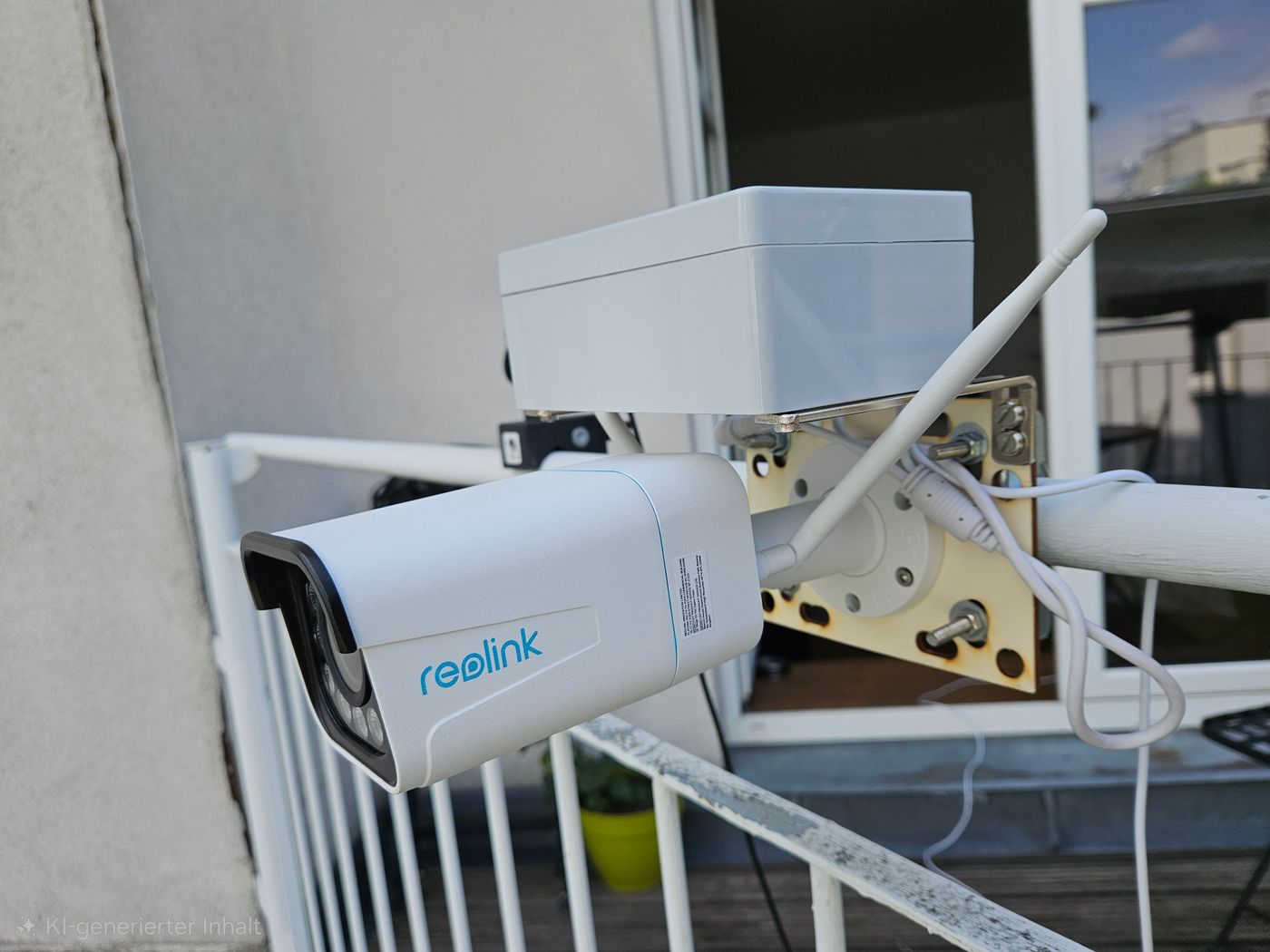
The Reolink RLC-811WA used as a construction timelapse camera
6\. Turning snapshots into an IP camera construction timelapse dataset
A folder full of JPEGs is not yet a structured dataset. To become operationally useful, the incoming images need to be organized around project logic: project identity, camera identity, capture timestamp, sequence continuity, and access rights.
This transformation is what separates raw image collection from a usable ip camera timelapse system. As images arrive, the system should be able to read or infer the capture time, associate the file with the right project and camera, store it in a predictable structure and make it available for review and later rendering.
Once the images are structured, several higher-value workflows become possible. Teams can browse the archive chronologically, verify whether a day or week is complete, detect gaps, compare viewpoints and generate progress sequences from a clean timeline. Media teams can pull selected frames for reports or marketing materials. Project stakeholders can review progress remotely without digging through raw file repositories.
This structured approach also supports selective processing. Not every image has to go directly into a final movie. Long-term construction timelapse often benefits from frame filtering, interval adjustments, milestone emphasis and visual quality control. Those workflows are only practical when the underlying dataset is well organized from the beginning.
In other words, the goal is not merely to collect pictures. The goal is to create a dependable visual record of the build that remains searchable, understandable, and production-ready throughout the project lifecycle.
7\. Monitoring reliability in long-term deployments
Reliability is the defining requirement of long-term construction timelapse. A setup that works for a week is not necessarily suitable for a year. Power interruptions, connectivity loss, blocked views, changed camera angles, dirty housings, and site interference are all common in active construction environments. For the physical outdoor side of that problem, including weather exposure, dust, condensation, and mounting drift, read our guide to outdoor timelapse camera setups.
This is why simply enabling a built-in timelapse mode on an IP camera is usually inadequate. Professional deployments need more than a sequence file. They need visibility into whether capture is current, whether the viewpoint is still useful, and whether recent images indicate a problem. Regular monitoring is part of the system, not an optional extra.
A reliable construction monitoring camera workflow should make it easy to answer key operational questions from afar. Are fresh images still arriving? Did the cadence stop? Is the view obstructed by scaffolding, equipment, dirt, condensation, or a moved camera? Has the scene shifted unexpectedly? Are there silent failures that would otherwise remain unnoticed until a critical milestone has already passed?
For construction companies and service providers, this monitoring layer reduces the biggest project risk: discovering too late that important phases were not captured properly. In long-term deployments, missed time is not recoverable. You cannot recreate a tower crane installation, a major concrete pour, or façade progress after the fact.
That is why remote review and alerting matter so much. If you also want to understand how these workflow decisions affect the total budget, read our guide to construction timelapse costs and what companies should really budget for. A strong system allows teams to check project health regularly, confirm recent capture, and respond quickly when something changes. This operational discipline is what makes automated image capture trustworthy over multi-month and multi-year deployments.
8\. Using a cloud platform to manage and organize images
A cloud platform adds the missing operational layer between camera output and usable long-term documentation. It receives uploaded images, interprets timestamps, organizes them by project and camera, and provides centralized access for the people who need to monitor, review, and share the visual record.
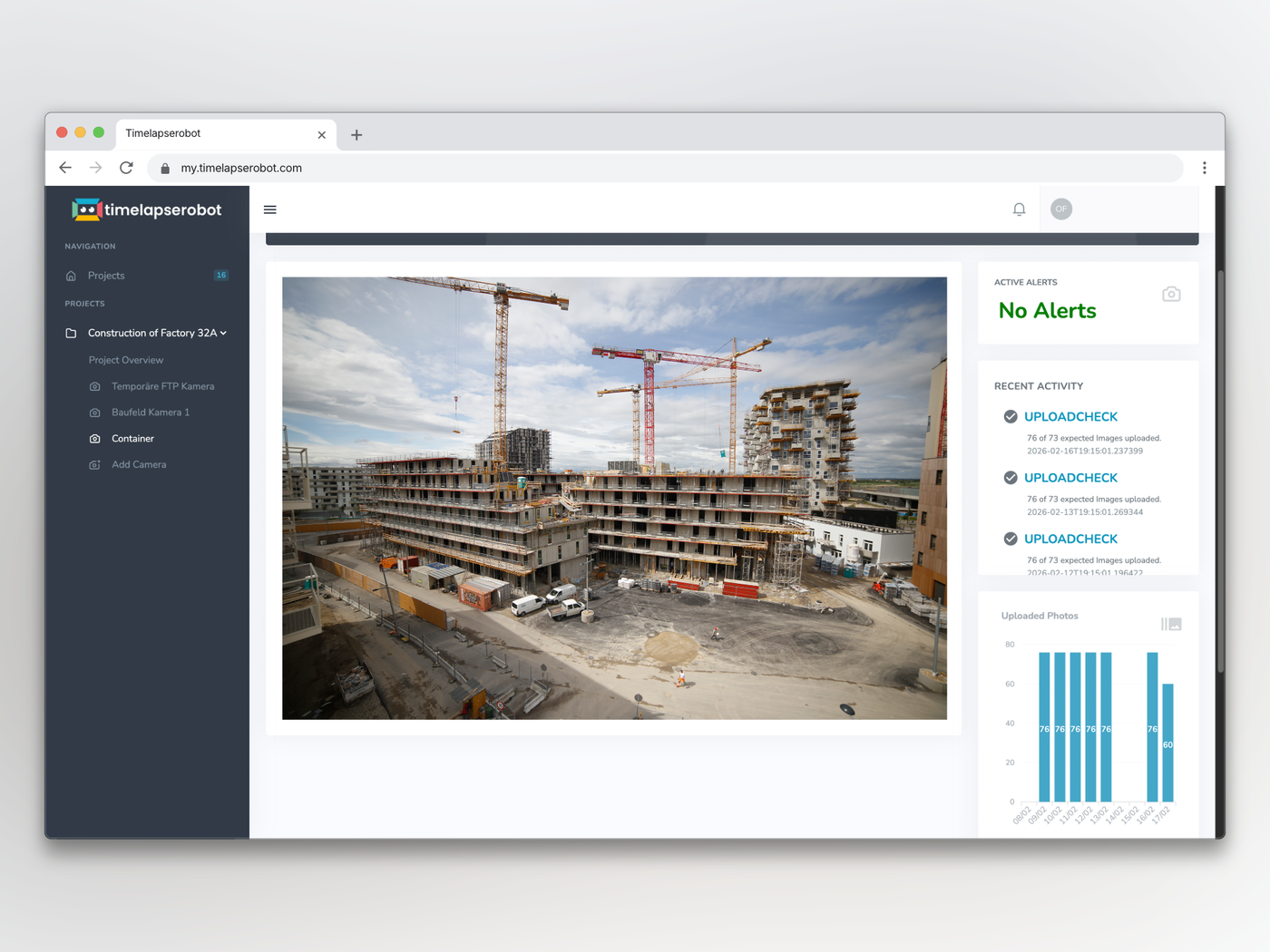
Example dashboard in TimelapseRobot for organizing, reviewing, and monitoring incoming construction timelapse images.
For an ip camera construction timelapse workflow, this solves several problems at once. First, it keeps files accessible from afar instead of trapped inside the camera or a local recorder. Second, it turns incoming snapshots into an organized timeline rather than a generic file dump. Third, it supports monitoring by showing whether images are arriving as expected and whether the recent view still looks correct.
Cloud-based organization also improves collaboration. Construction companies, system integrators, monitoring providers, and media teams often need different levels of access to the same project. A shared platform allows each stakeholder to review the same structured dataset without relying on ad hoc file transfers or manual exports.
Live sharing is another important operational benefit. On long-term building projects, stakeholders frequently want to see current progress, not only the finished timelapse months later. Standard in-camera timelapse modes generally do not provide this kind of accessible, continuously updated project view. A cloud workflow built around uploaded snapshots does.
This is why the distinction between “camera timelapse” and “managed construction timelapse” matters. A camera can create images. A platform creates operational control. For a focused look at the most common construction timelapse problems that this operational layer helps prevent, read Construction Timelapse Problems: How to Avoid Failure in Long-Term Projects. For professional deployments, especially in construction, that difference is decisive.
Turn your IP camera into a construction timelapse system
Start with a free TimelapseRobot account and follow the step-by-step guide to connect a Reolink RLC-811WA in minutes.
Conclusion
Standard IP cameras that support scheduled snapshots and FTP upload can absolutely contribute to long-term construction timelapse workflows. In many cases, they are already present on site, familiar to integrators and technically capable of producing a steady image stream over time.
But successful long-term deployment does not come from the camera feature alone. It comes from the full workflow around it: interval capture instead of closed local timelapse files, remote upload instead of manual retrieval, filename-based timestamps instead of ambiguous receipt times, structured ingestion instead of unmanaged folders, and monitoring instead of blind trust.
For construction companies, service providers and media teams, the practical objective is clear. Use the camera as the capture device, but rely on an external system to make the image stream reliable, accessible and operationally useful. That is what turns raw snapshots into a dependable long-term project record, and ultimately into a professional security camera timelapse outcome that supports documentation, visibility and communication throughout the build.
Frequently asked questions
- What features does an IP camera need for construction timelapse?
- The camera must support scheduled snapshot capture at a fixed interval and automatic FTP or FTPS upload. Ideally it can also embed the capture timestamp in the filename. Not every IP camera qualifies: the real test is whether it can sustain a consistent cadence, recoverable files, reliable timestamps and remote accessibility over many months of unattended operation, not just produce images.
- What snapshot interval should I set for a construction timelapse?
- Typical intervals are every minute, every five minutes or every fifteen minutes. Choose the interval based on the purpose of the record, not on the assumption that more files are better. A very short interval inflates storage and transfer load without adding practical value, while a longer interval is often sufficient for structural progress. Milestone-heavy phases can justify denser capture.
- Why shouldn't I use the camera's built-in timelapse mode?
- Native timelapse modes usually create a closed local video file or simplified internal sequence intended for standalone use. That prevents remote access, image-level inspection, gap detection and live sharing. Long-term construction documentation works far better with separate interval snapshots, because each image can be verified, filtered, recovered and reprocessed independently, and problems like blocked views can be detected early.
- Why do timestamps in the filename matter for timelapse images?
- Because upload time and capture time are not always the same. Network interruptions, retries and buffering can make files arrive later than they were captured, so sorting by server receipt time can distort the timeline. A capture timestamp embedded in the filename travels with the file, letting a cloud platform assign each image to the correct moment regardless of when it was uploaded.
- Can I use an existing CCTV or security camera for construction timelapse?
- Often yes. Many construction sites already have CCTV or network cameras installed for security or access monitoring, and if they support scheduled image capture and FTP upload they can feed a long-term documentation workflow at the same time. This dual use is operationally efficient because it avoids a separate consumer timelapse device, provided the workflow around collection and monitoring is properly built.
- How do I know the camera is still capturing correctly months into the project?
- Through continuous monitoring, not blind trust. A reliable workflow lets you check remotely whether fresh images are still arriving, whether the cadence has stopped and whether the view is obstructed by scaffolding, dirt, condensation or a moved camera. A cloud platform like TimelapseRobot shows incoming uploads per project, which matters because missed construction phases cannot be recaptured afterwards.
Connect your own camera
Turn your FTP/IP camera into a timelapse system — start for free.
Step-by-step setup guides: Reolink RLC-510WA · Bixion

